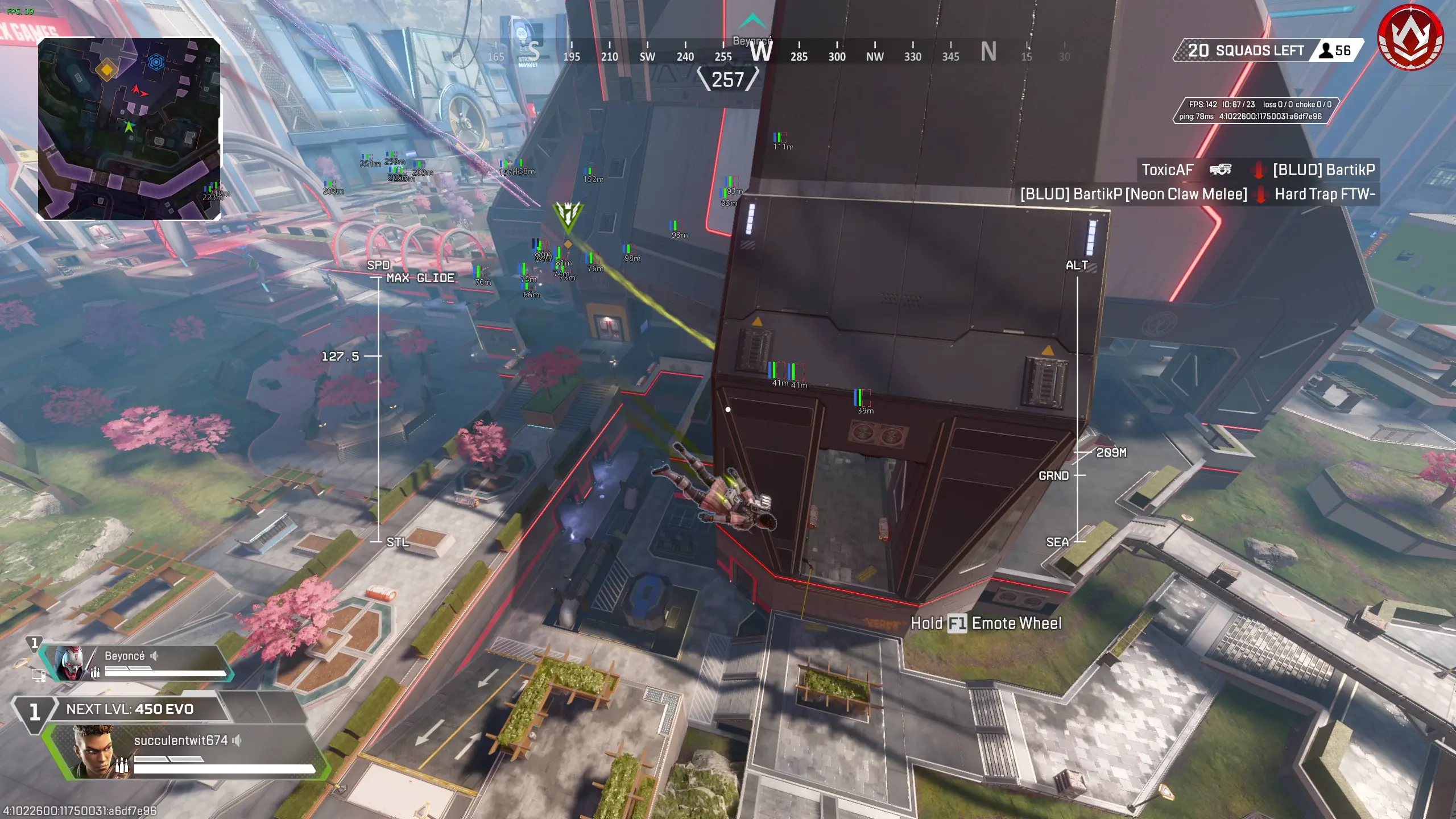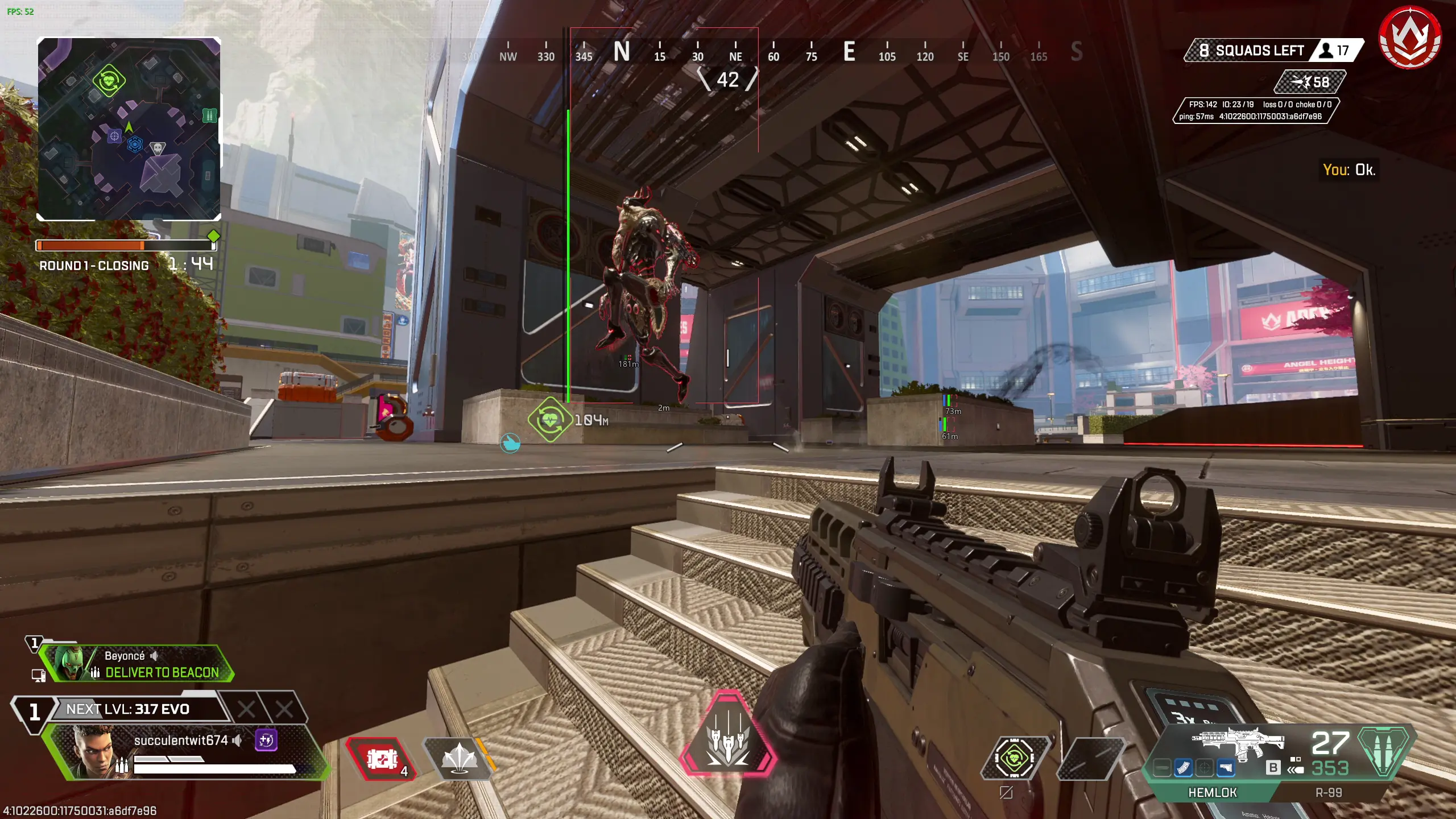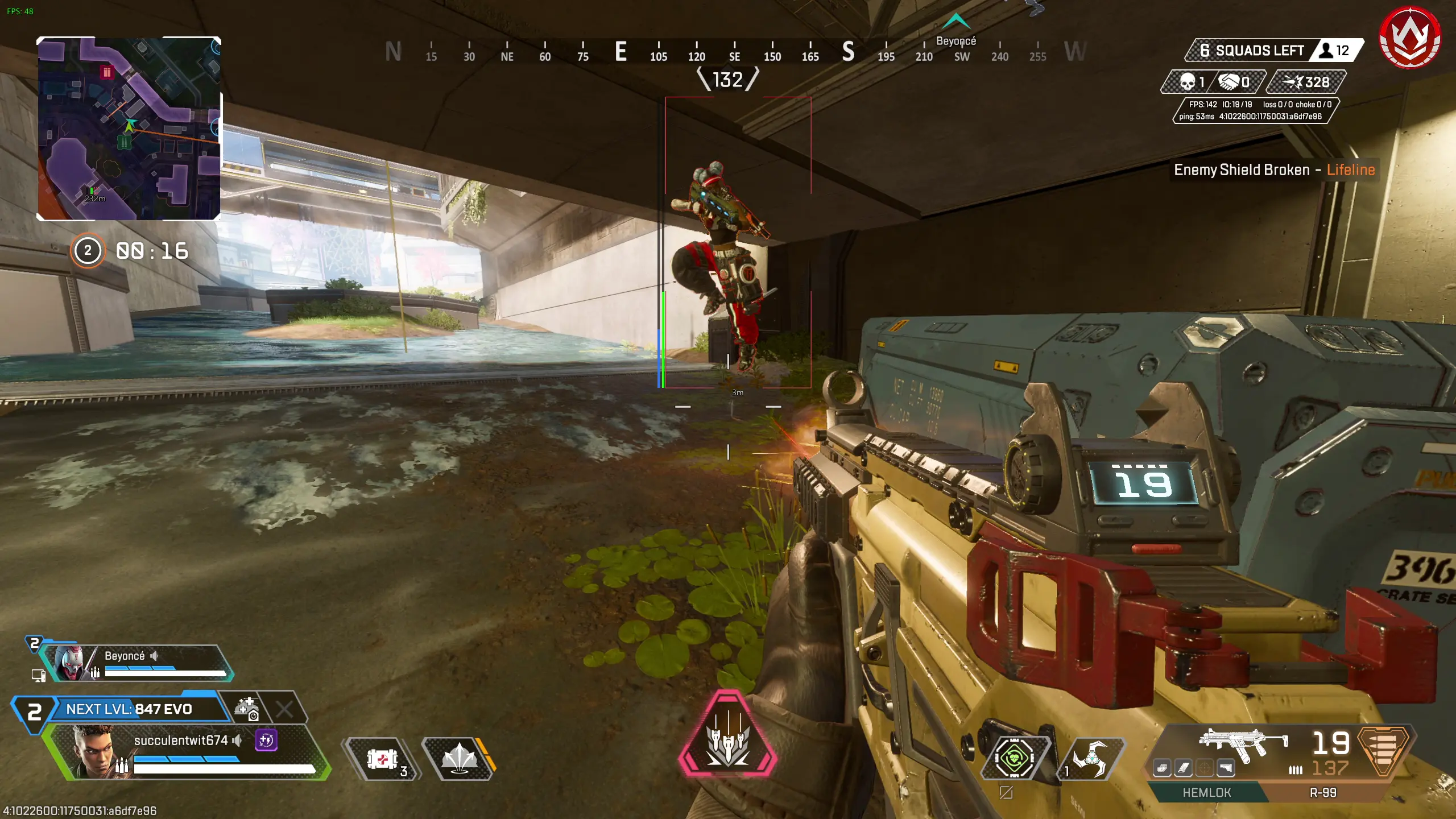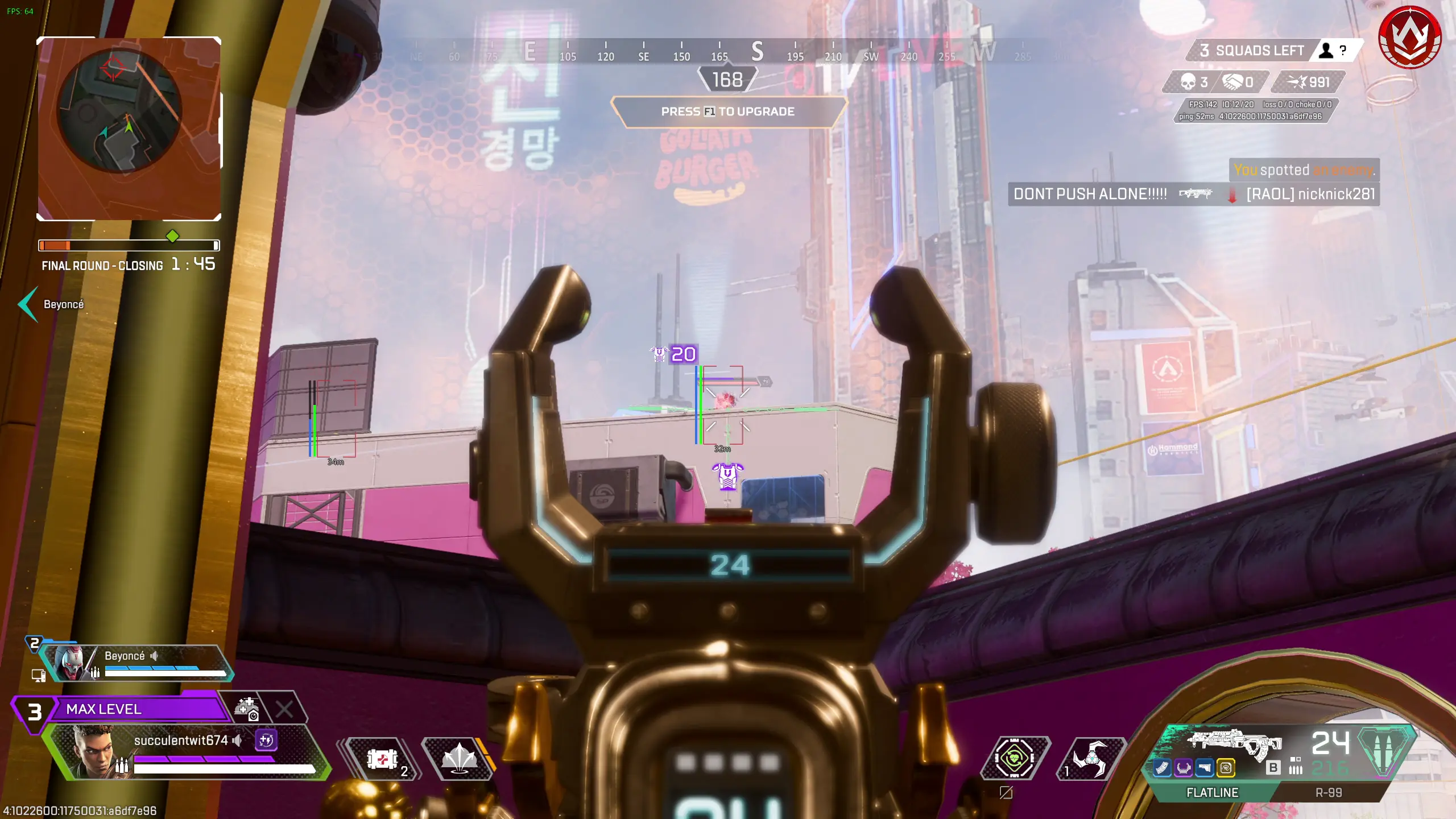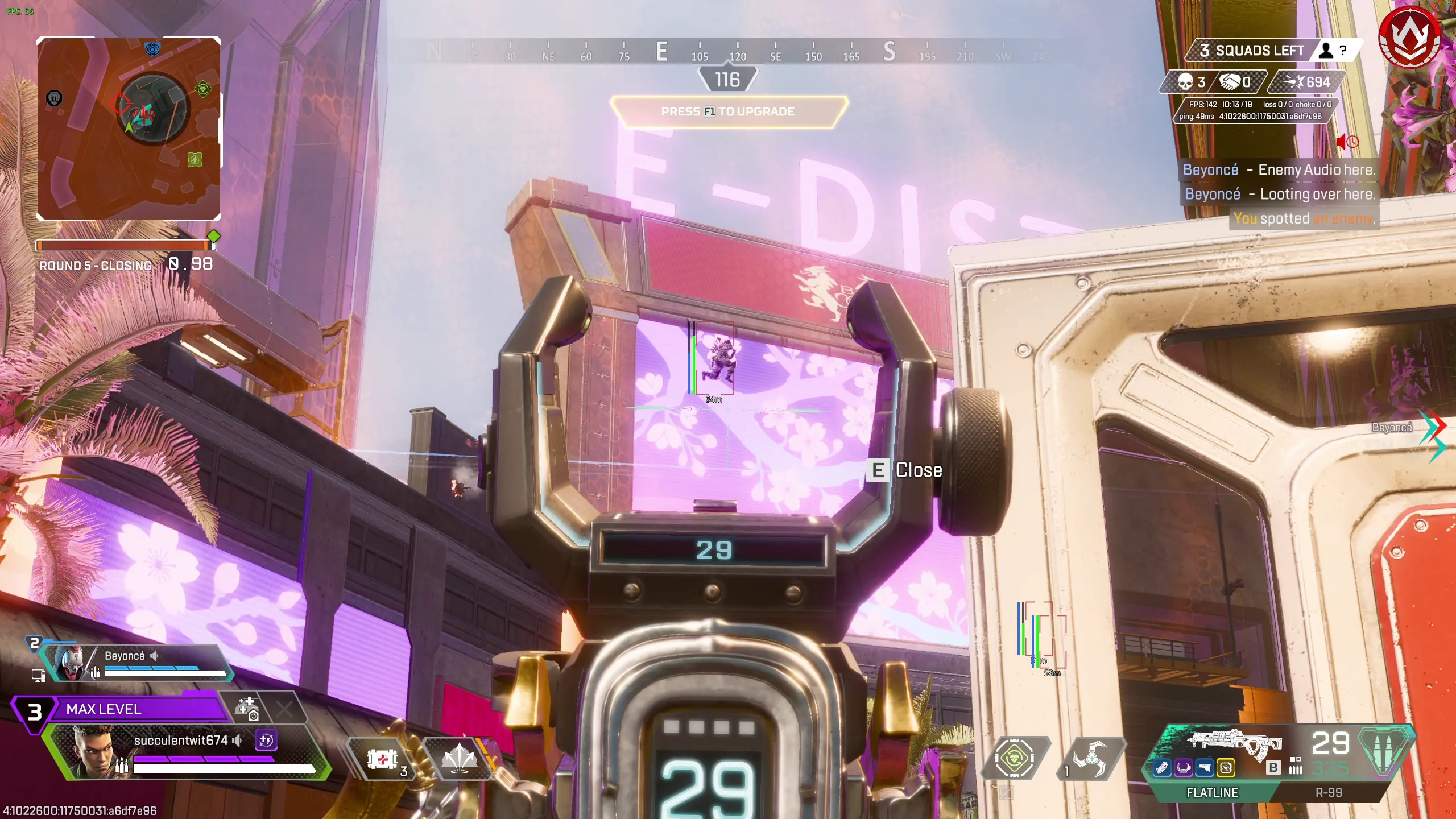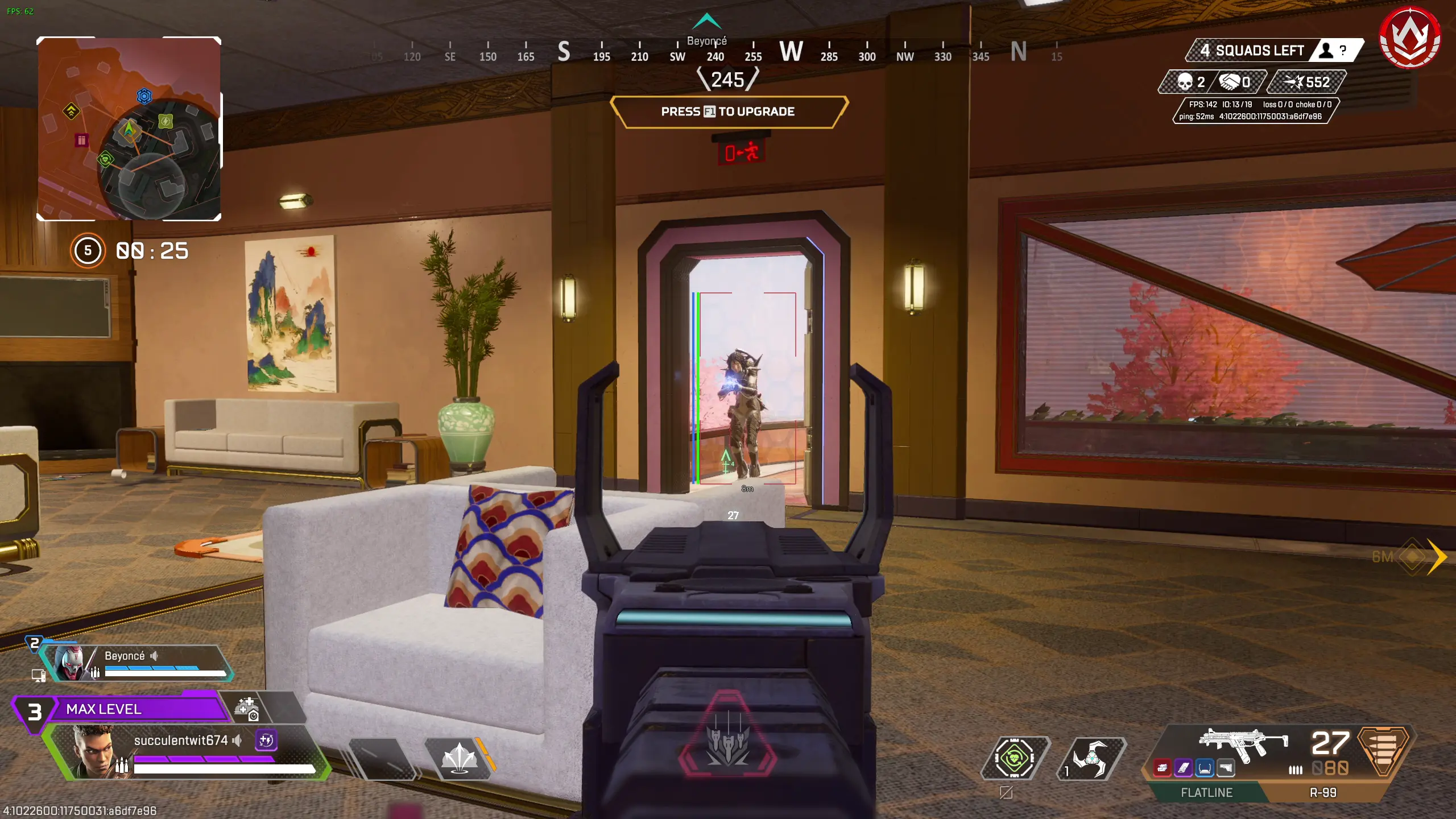
Apex Legends ESP hacks screenshot showing an enemy highlighted through a weapon sight inside a building

UNDUTU / APEX LEGENDS

Apex Legends Hacks
by Undutu

Undutu’s Apex Legends ESP shows player positions through walls, alongside names, distance, health and shields. Adjust the display distance to focus on nearby players or show players farther away.

For the Steam version of Apex Legends on Windows 10 and Windows 11.

View Apex Legends Cheat → ESP features ↓

APEX LEGENDS ESP

What’s included

  • Player wallhacks
  • Player names and distance
  • Health and shields
  • Adjustable ESP distance

Steam • Windows 10 & Windows 11
FEATURES

Apex Legends player ESP

Check where players are, how far away they are and how much health and shielding they have.

Player wallhacks

Player overlays stay visible through walls and cover, so you can follow positions even when a player is out of sight.

Names & distance

See each player’s name and distance from you alongside their position.

Health & shields

Check a player’s health and shields before you decide to push or hold your position.

ESP distance control

Turn the display distance down when the screen feels crowded, or increase it to show players farther away.

SCREENSHOTS

Apex Legends ESP in game

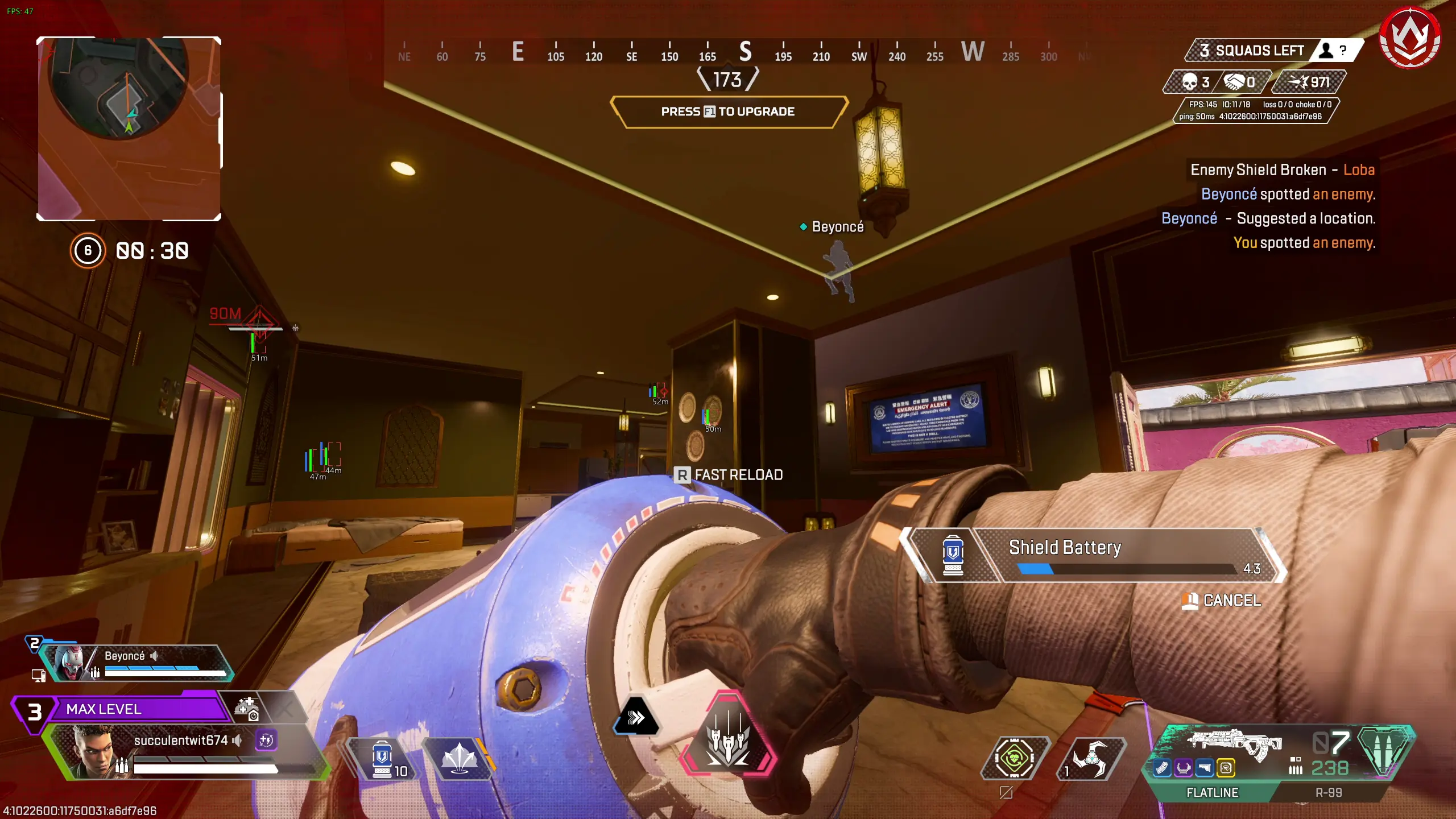
Gameplay screenshots showing wallhacks, ESP, player names, distance, health and shields, plus the ESP distance settings.

BEFORE YOU BUY

Apex Legends licence options

Choose your access duration and check current prices on the product page before ordering.

Choose your licence

  • 1 Day: 24 hours of access.
  • 1 Week: Seven days of access.
  • 1 Month: 31 days of access.
  • Lifetime: Access for the lifespan of this cheat, including free updates and support while it remains available.

Activation & PC access

Your licence starts when the cheat is first injected into the game. Purchasing or downloading the software does not start your licence time.

Renewals require a manual purchase and payment. Your licence does not renew automatically.

Access is locked to one PC. A transfer to another PC can be requested once every seven days through Discord.

INSTALLATION

How to install

Your purchase and download are managed through your Undutu account. Here’s how to get set up.

1. Purchase access

Order from the Apex Legends product page. You can create your Undutu account before ordering or during checkout.

View the Apex Legends product.

2. Download the launcher

Once the exact payment amount shown at checkout has been received, your download becomes available in your account. Download the file and extract its contents.

Open My Account → Downloads.

3. Run and log in

Right-click the launcher and run it as administrator. Log in with your Undutu account email, then follow the launcher instructions to open the cheat menu in game.

Read the installation guide.

FAQ

Common questions

Where do I find my download?

Open My Account → Downloads after your payment has been received. If your download is missing, open a Discord support ticket.

Can I change the ESP distance?

Yes. The display distance setting controls how far away player overlays appear.

Which version of Apex Legends is supported?

The cheat supports the Steam version of Apex Legends on Windows 10 and Windows 11.

Can I get a refund?

Software purchases are normally non-refundable, subject to the first-use technical-fault exception and your statutory rights. If you cannot get the software working on first use, contact support so staff can investigate and try to resolve the issue.

Read our Refund Policy for eligibility, support steps and the full conditions before buying.

UNDUTU SUPPORT

Discord support

Having trouble with installation, your account or a download? Open a ticket in the #ticket channel on our Discord.

You can open a ticket at any time. We usually reply within 15 minutes when staff are available, and most tickets are resolved the same day.

Updates & downtime

Game updates, anti-cheat changes and technical problems can temporarily affect availability. Visit our Discord page for product announcements, updates and support.

If the cheat is unavailable for longer than 24 hours, we automatically extend affected users’ access to cover the full period of downtime, including the first 24 hours. No ticket is needed to claim the extension.

Setup instructions are also available on our Help page.

Get support → View Apex Legends Cheat →