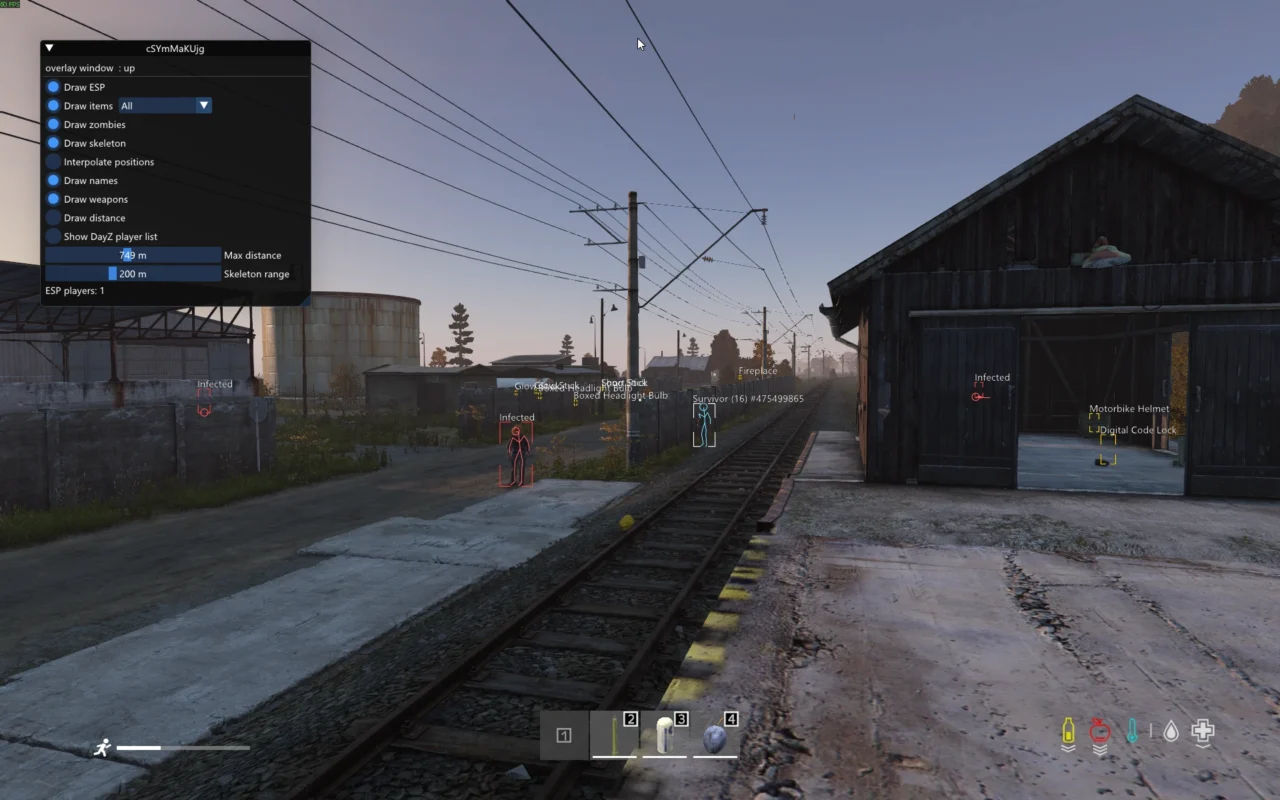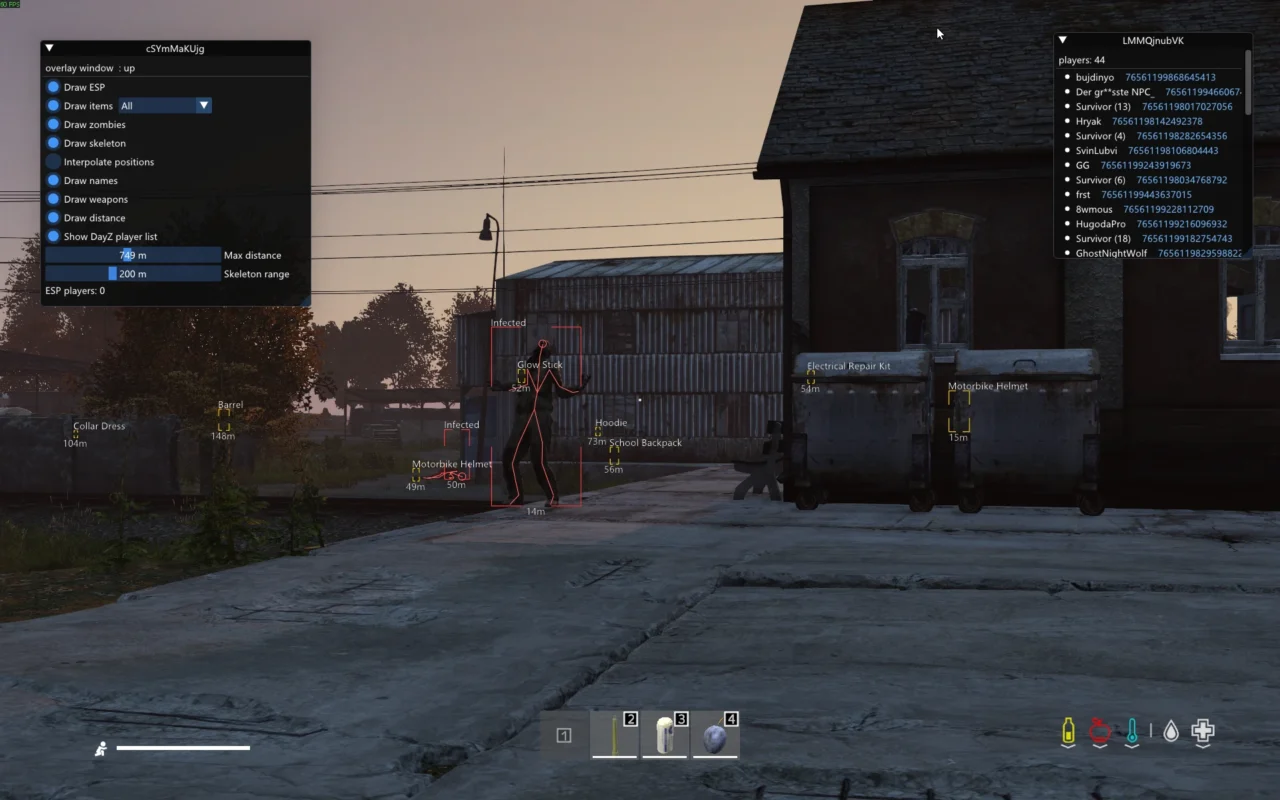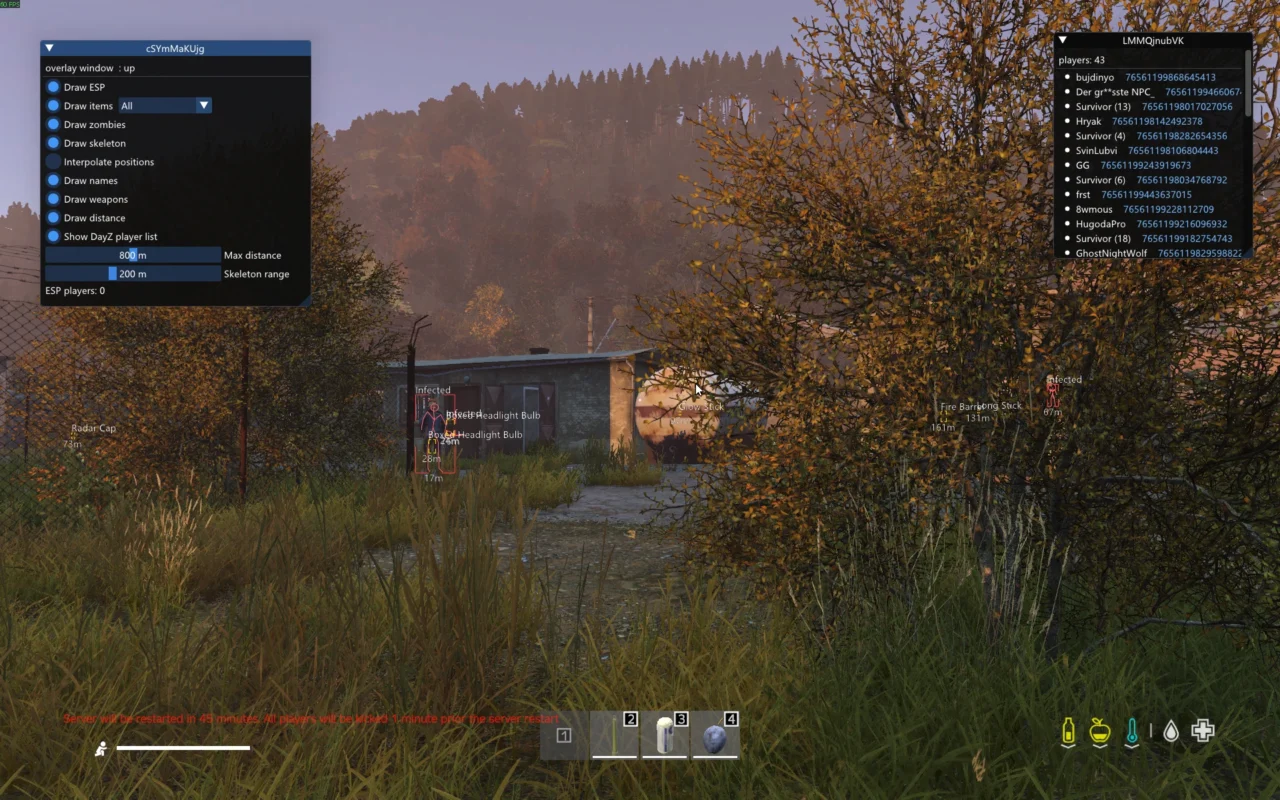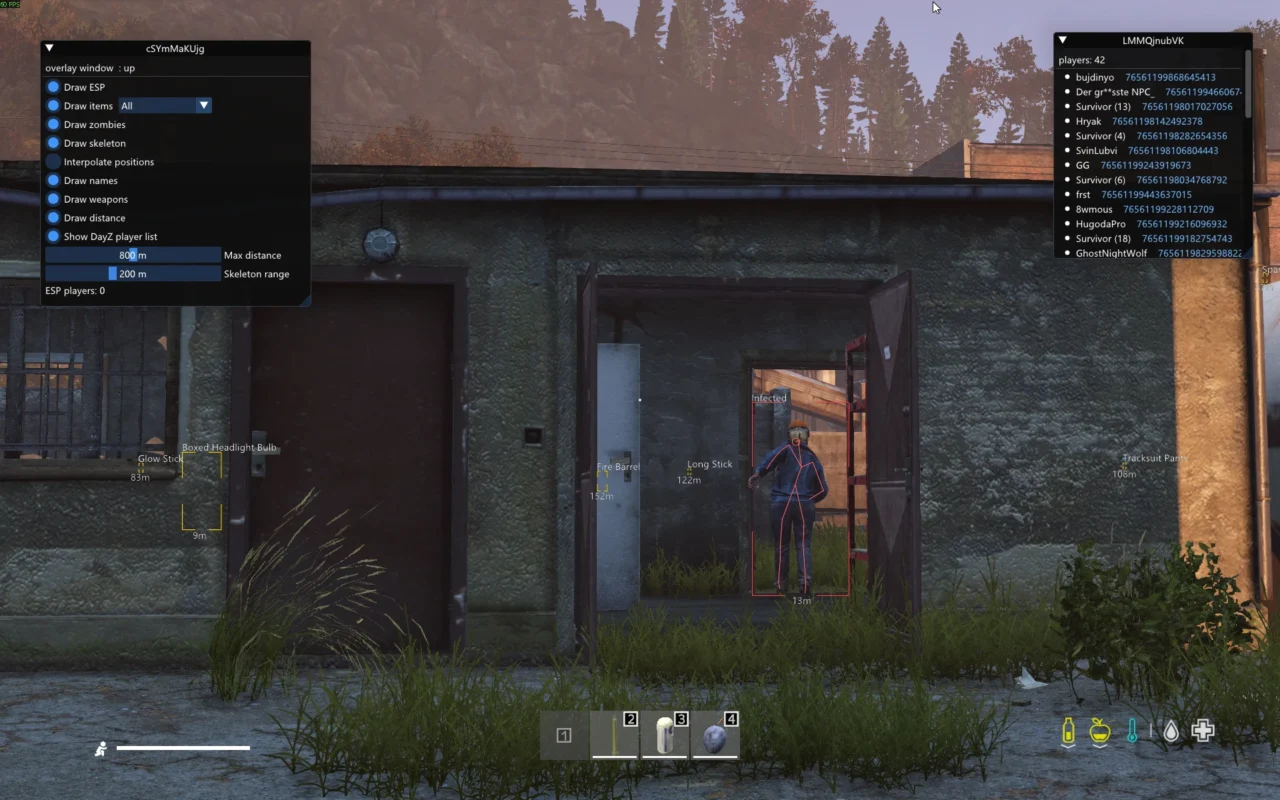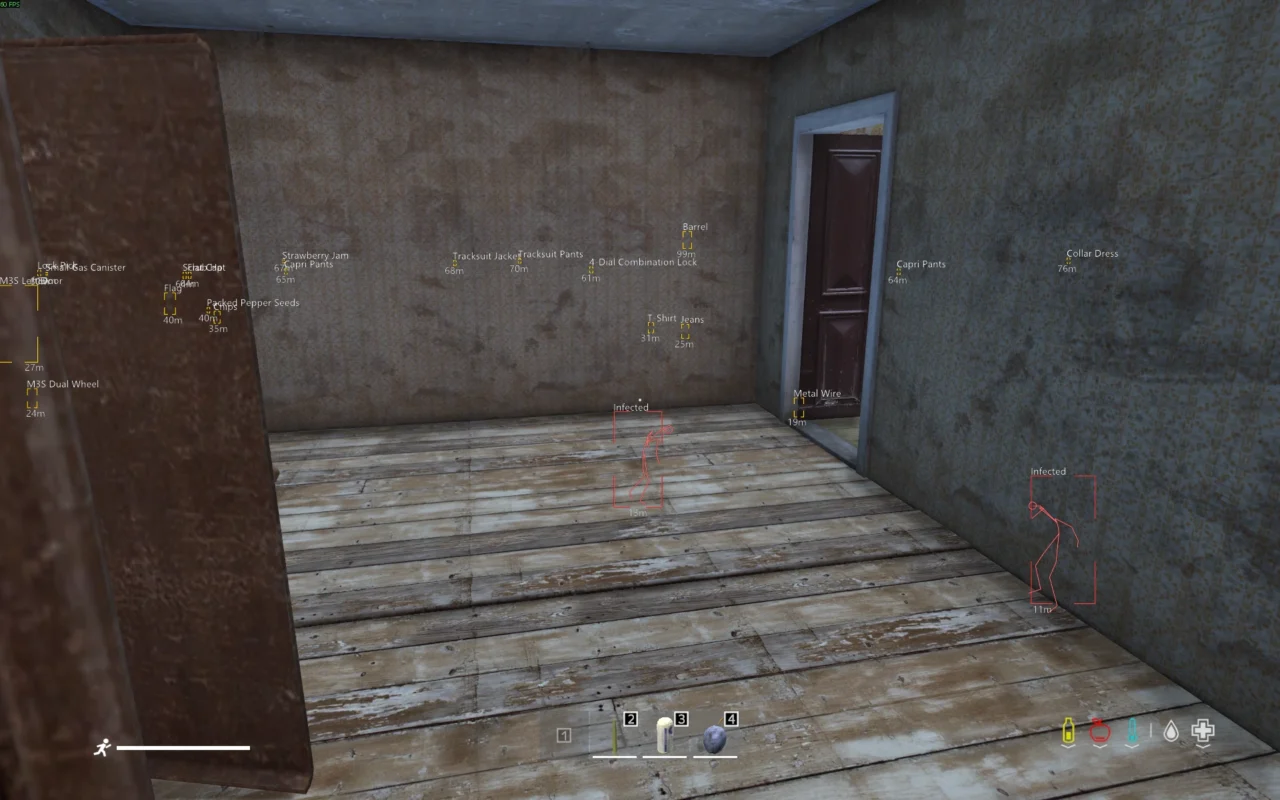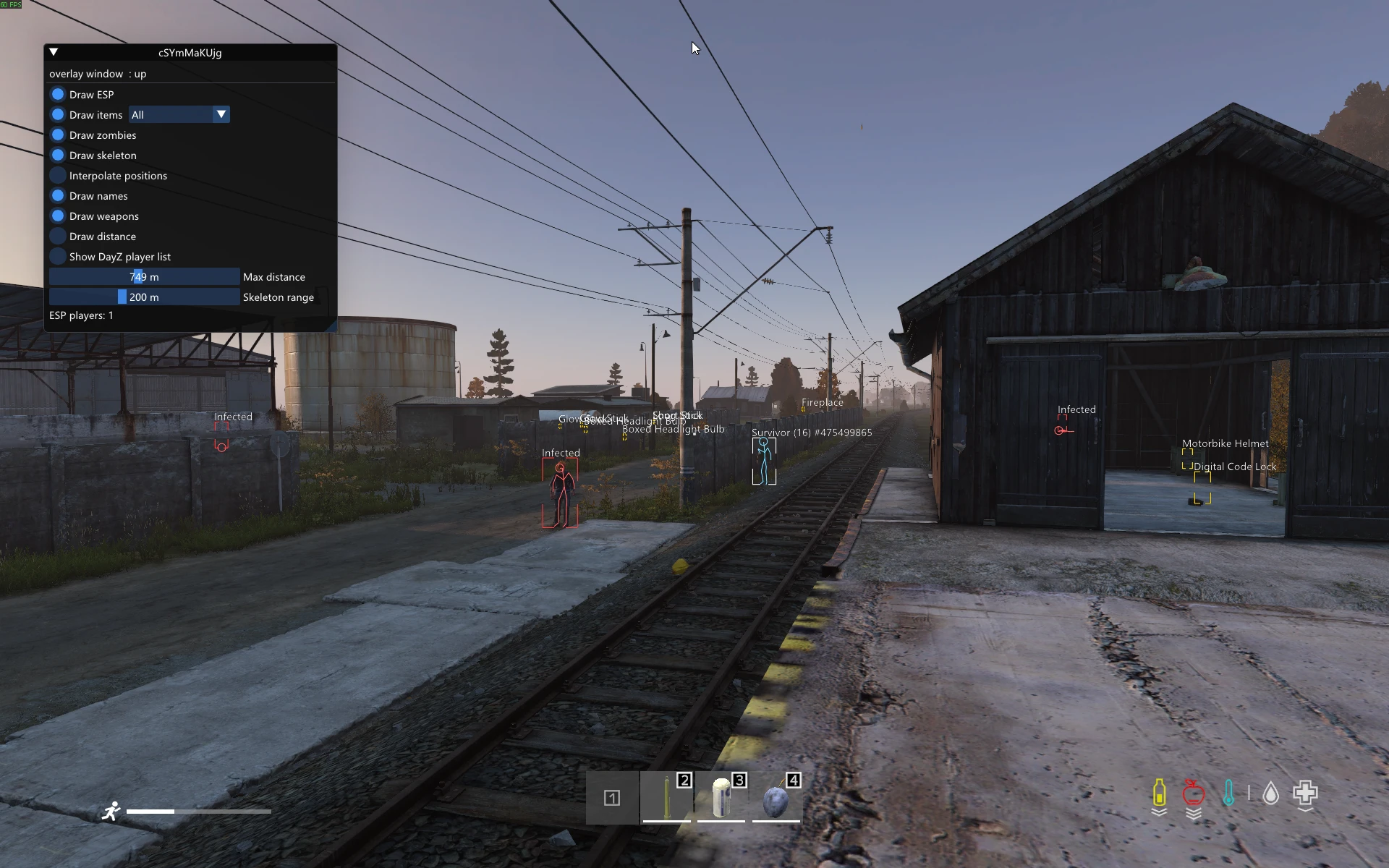
DayZ player ESP highlighting a survivor with a blue skeleton beside railway tracks, alongside red zombie outlines and yellow item markers.

UNDUTU / DAYZ

DayZ Cheats
by Undutu

See more of your surroundings with player ESP, zombie skeleton overlays, item markers and configurable radar. Filter the loot you want to find and adjust display distances to control the information on screen.

For the latest Steam version of DayZ on Windows 10 and Windows 11.

View DayZ Cheat → Explore features ↓
EXPLORE THE FEATURES

See more. Find more.

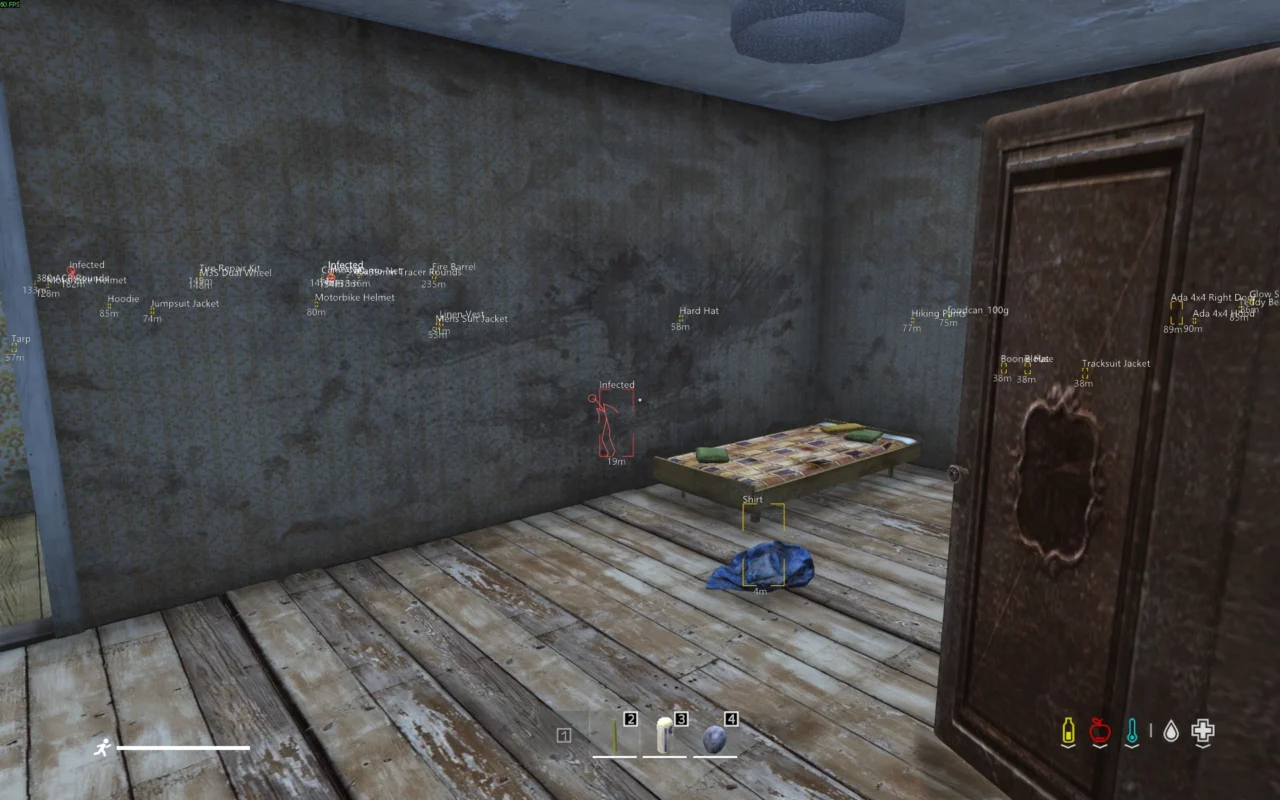
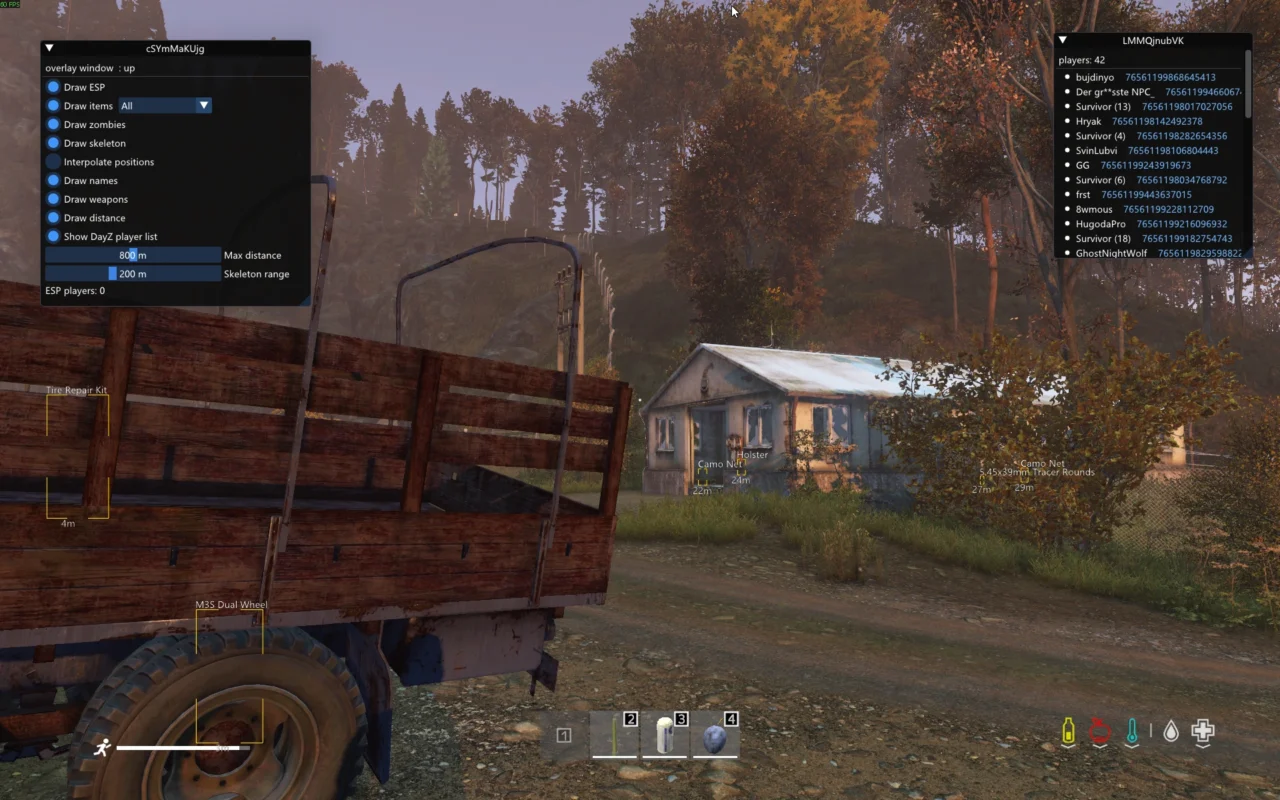
Choose which players, zombies and items appear in your overlays, then adjust the available settings to suit how you play.

Player ESP.

Identify players with ESP overlays, including skeleton displays that make their position easier to distinguish in the game world.

Zombie skeleton overlays.

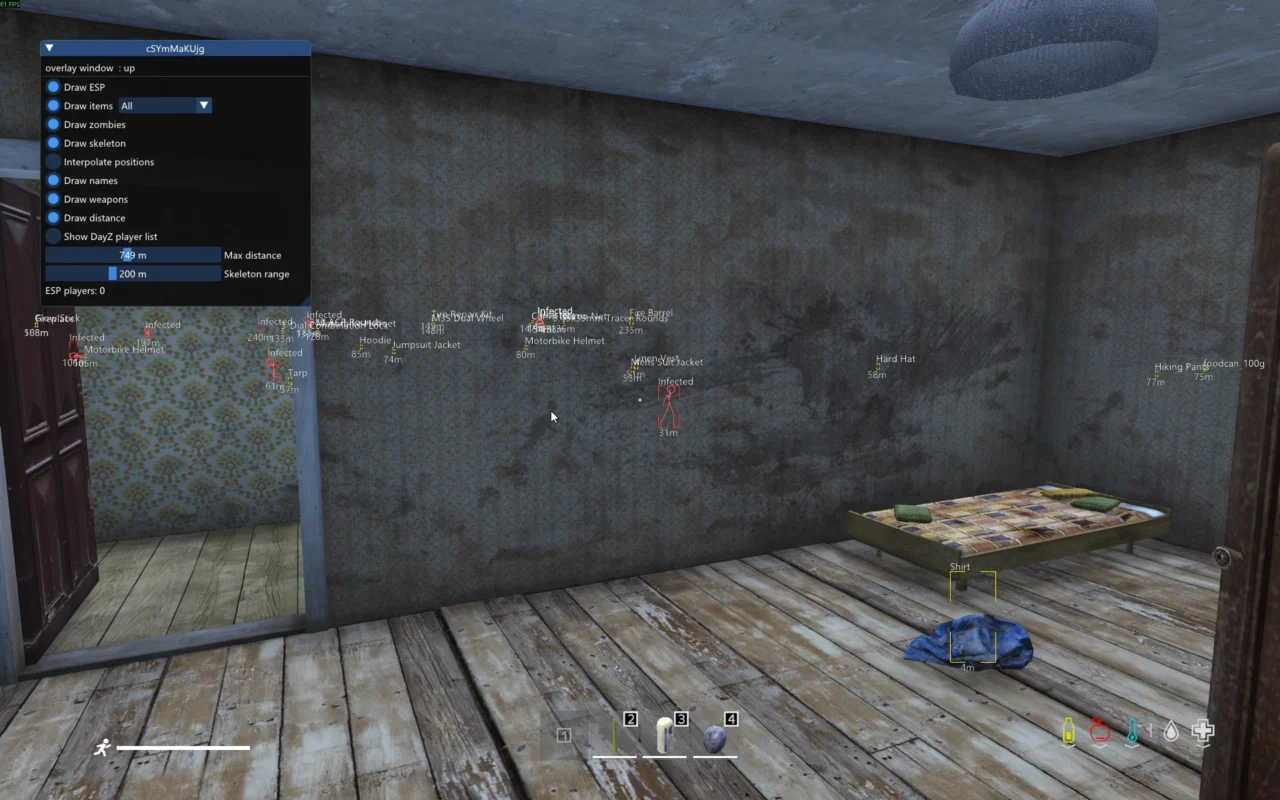
Display skeleton overlays on zombies to help identify them around buildings, roads and other areas you explore.

Adjustable display distances.

Control how far away overlays and markers appear. Combine distance settings with item filters to reduce unnecessary information on screen.

Item finder & loot filters.

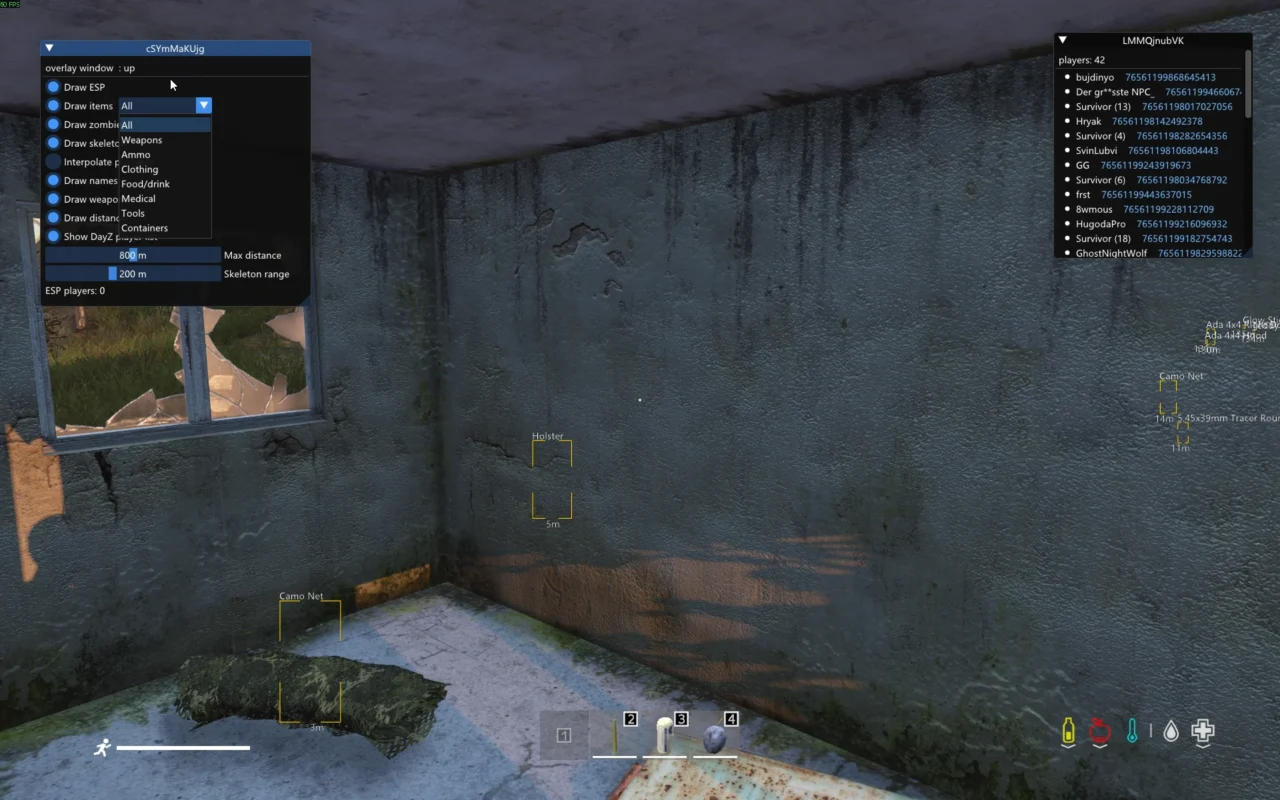
Display item names and distances, then choose the categories you want to see:

  • All items
  • Weapons
  • Ammo
  • Clothing
  • Food & drink
  • Medical
  • Tools
  • Containers

Configurable radar.

Use radar to display enemies, zombies or loot, depending on how you configure it.

IN-GAME SCREENSHOTS

Take a closer look.

Explore gameplay screenshots showing player ESP, zombie overlays, item markers and the available display settings.

DAYZ GAMEPLAY

See it in action.

Watch how Undutu’s DayZ features look during gameplay.

VIDEO COMING SOON!

GETTING STARTED

From download to DayZ.

Undutu supports the latest Steam version of DayZ on Windows 10 and Windows 11. No additional hardware is required beyond a PC capable of running the game.

01. Get access.

Create an Undutu account before ordering or during checkout, then purchase the DayZ cheat through the product page.

View the DayZ product.

02. Download & extract.

Once the exact payment amount shown at checkout has been received, your download becomes available in your account. Download the file and extract its contents.

Open My Account → Downloads.

03. Launch & follow the guide.

Right-click the launcher and run it as administrator. Log in using the email address registered with Undutu, then follow the launcher instructions to access the cheat menu in game.

Read the installation guide.

BEFORE YOU PLAY

A few useful answers.

Does it include an aimbot?

No aimbot is currently included. It may be added in the future, but it is not part of the current feature set.

What is the detection status?

The product is sold as undetected at the time of sale. Anti-cheat systems can change, and future detection status cannot be guaranteed. We respond to anti-cheat changes as they occur.

Visit our Discord page for announcements and updates.

UNDUTU SUPPORT

Help when you need it.

For installation, account or technical assistance, visit our Discord page and open a ticket in the #ticket channel.

Tickets can be opened at any time. First responses usually arrive within 15 minutes, depending on staff availability, and most tickets are resolved on the same day.

You can also visit our Help page for setup instructions and common questions.

Get support → View DayZ Cheat →